

The cover image was generated by Recraft, give it a try
# Current Observations
While developing the AI workflow product Vector Vein, I've noticed an interesting phenomenon. Although I've explained in detail how to use AI and taught everyone how to write prompts, very few colleagues have integrated AI into their daily work. Most colleagues just try it out, using it a few times a month, and some even feel that "using AI is not as fast as doing it myself."
This phenomenon is also frequently mentioned when I communicate with other companies. Everyone talks about AI, believing it's important, but very few people actually make AI their work companion. More people remain in the tasting phase: hearing about a new AI tool, signing up to try it out, asking a few questions, finding it interesting, and then it gets forgotten somewhere in the browser's tabs.
Why is this the case?
# The Dilemma of Passive AI
Initially, I thought it was because AI wasn't powerful enough. However, after a year of in-depth research and development on AI products, I gradually realized the problem might lie elsewhere: most current AI products operate in a "passive" interaction mode.
What is "passive"? Simply put, AI is always waiting for users to initiate a conversation or operation. You have to actively open the ChatGPT page, actively think about what question to ask, actively organize your language to send the request, and only then will the AI start working. In Notion, when writing an article, you have to actively press the "/" key and select an AI-related function before it helps you. It's like having an assistant who waits for your orders; if you don't speak up, they'll just stand quietly in the corner.
But which type of assistant would you prefer? One where you have to command everything or one that anticipates and takes care of things proactively?
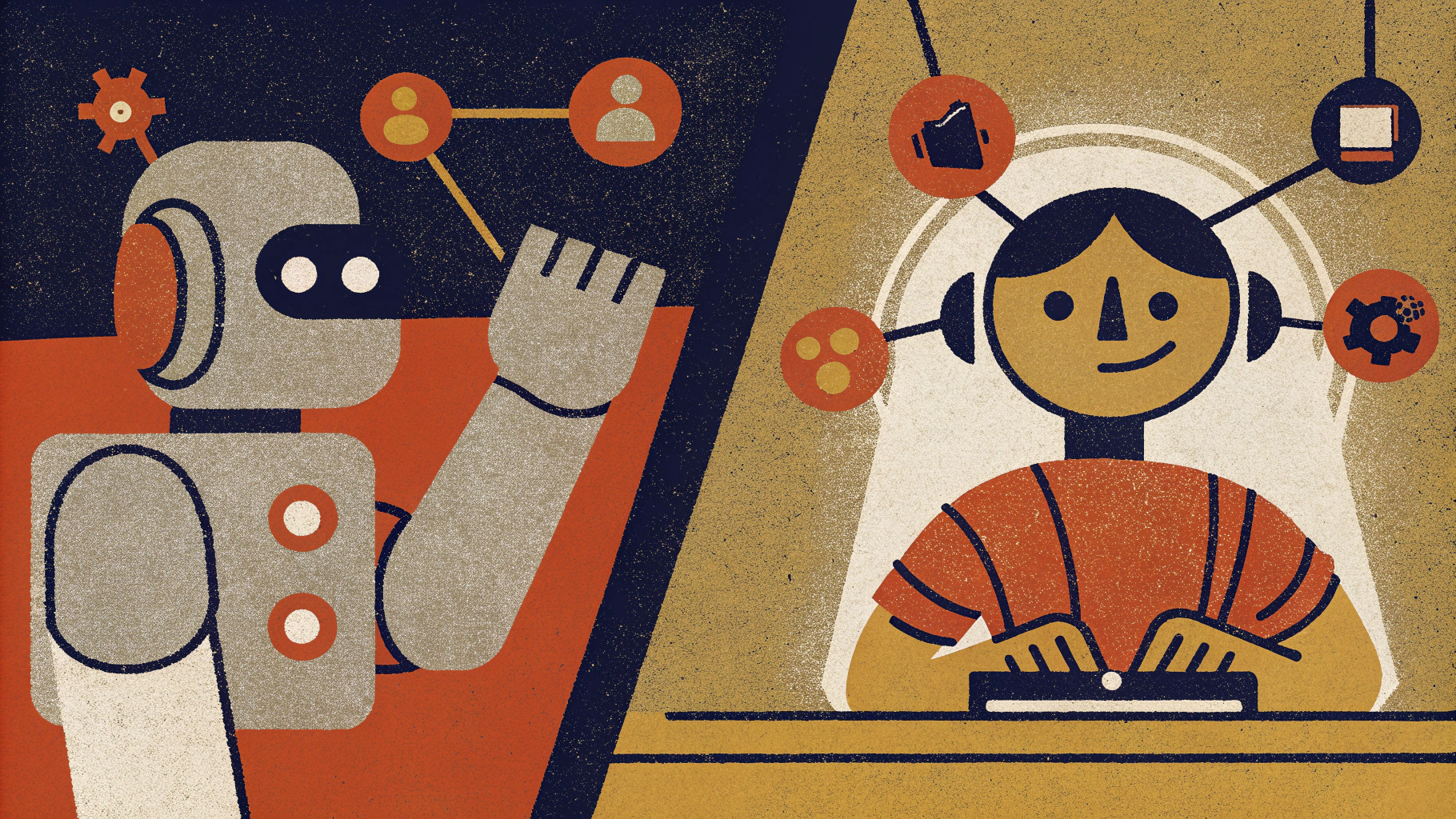
Generate in the 2D art poster style of Recraft, try it
Clearly, it's the latter. However, why do most AI products currently adopt a passive interaction mode?
There's a very practical reason for this: the cost of tokens. At the beginning of 2023, the cost of calling an AI model was still relatively high; a single conversation might cost a few dollars. If AI were to run actively in the background, analyzing and processing, the cost would be considerable. Therefore, product designs had to adopt this passive approach, waiting for users to initiate requests before calling the AI.
But now, things are starting to change. With fierce competition among AI companies, the performance of models is improving while the cost of tokens is decreasing. Just like how Arduino lowered the barrier for hardware development, making "everyone a maker" possible, lower-cost AI models are paving the way for "proactive AI" to become widespread.
| Model | Year | Input Price (/1M Tokens) | Output Price (/1M Tokens) |
|---|---|---|---|
| gpt-4-32k | 2024 | $60 | $120 |
| gpt-4o | 2025 | $2.5 | $10 |
| DeepSeek | 2025 | $0.14 | $0.28 |
In other words, this year you can get an AI model that's even better than last year's top model (ranked by lmarena) at a cost that's a thousandth of what it was (DeepSeek compared to gpt-4-32k). The cost has undergone a massive change in scale, but what about the interaction paradigm of the products? Currently, most AI applications are still mainly chatbot-based. The advantage of chatbot applications is that users have almost no learning curve; they can use it just like chatting in everyday life.
But having no learning cost doesn't mean there's no cognitive cost.
Remember your first time using Excel? You might have thought it was just a tool for drawing tables. Until one day, you saw someone using Excel's smart fill feature, where you could pull down a column, and it automatically filled in the data according to a pattern, and you realized: "Oh, Excel can do that!"
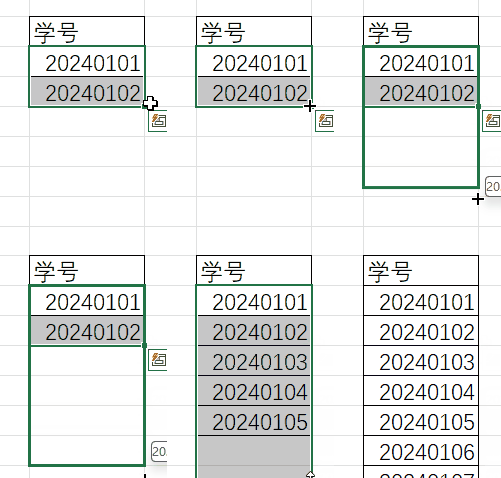
This is a typical cognitive cost issue: even if Excel's smart fill feature is very powerful, if users don't know about this feature or don't remember to use it when needed, it might as well not exist for them.
AI products are facing the same issue. I often see scenarios like:
One colleague is collecting and organizing data, searching through countless pages, editing painfully. Even though we've introduced various AI tools, he completely forgets that AI could help. When I remind him: "Why not try AI?" he wakes up: "Oh, right, I forgot about AI!"
Another colleague is sorting product images, manually classifying and labeling them in several dimensions. When I ask him: "Why not let AI classify them?" he says: "Ah? Can AI understand images?"
A colleague in customer service, for whom I've designed a workflow to query tickets/knowledge bases/optimize reply language, but we've noticed from the backend that usage frequency drops off after a few days. When asked, many customer service colleagues feel it's not as quick as answering customer questions directly.
This is the reality of most people when using AI:
- They either completely forget AI is an option.
- Or they don't know what AI can do.
- Or they find using AI more troublesome than doing it themselves.
Even if they know they can use AI, they face a series of cognitive burdens:
- Opening a new page or software.
- Thinking about how to describe their needs.
- Worrying whether AI will misunderstand.
- Checking if the AI output is reliable.
- Copying and pasting results back into the work interface.
Each of these steps might seem simple, but together, they make people think: "Forget it, I'll do it myself."
It's like having an assistant, but this assistant is in another office, and every time you need help, you have to:
- Walk to their office.
- Explain in detail what you need.
- Wait for them to finish and check if it meets the requirements.
- If it's not right, explain again.
- Finally, move their work results back to your office.
Over time, unless it's necessary, who would bother to go to this assistant for help?
So when we say "most people can't effectively use AI," it's not a matter of technical ability, but rather that current AI product designs impose unnecessary cognitive burdens on users. Users have to remember "I can use AI," actively switch to another tool, and learn how to communicate with AI; these are all stumbling blocks preventing AI from seamlessly integrating into daily work processes.
So, how should we design products to make users truly seamlessly use AI?
# From Passive to Proactive Paradigm Shift
Let's talk about an excellent product design example: Cursor AI. Cursor AI is an AI-assisted code editor.
AI assistance in programming has been around for years, with basic functionalities like auto-completion and AI-generated code through dialogue.
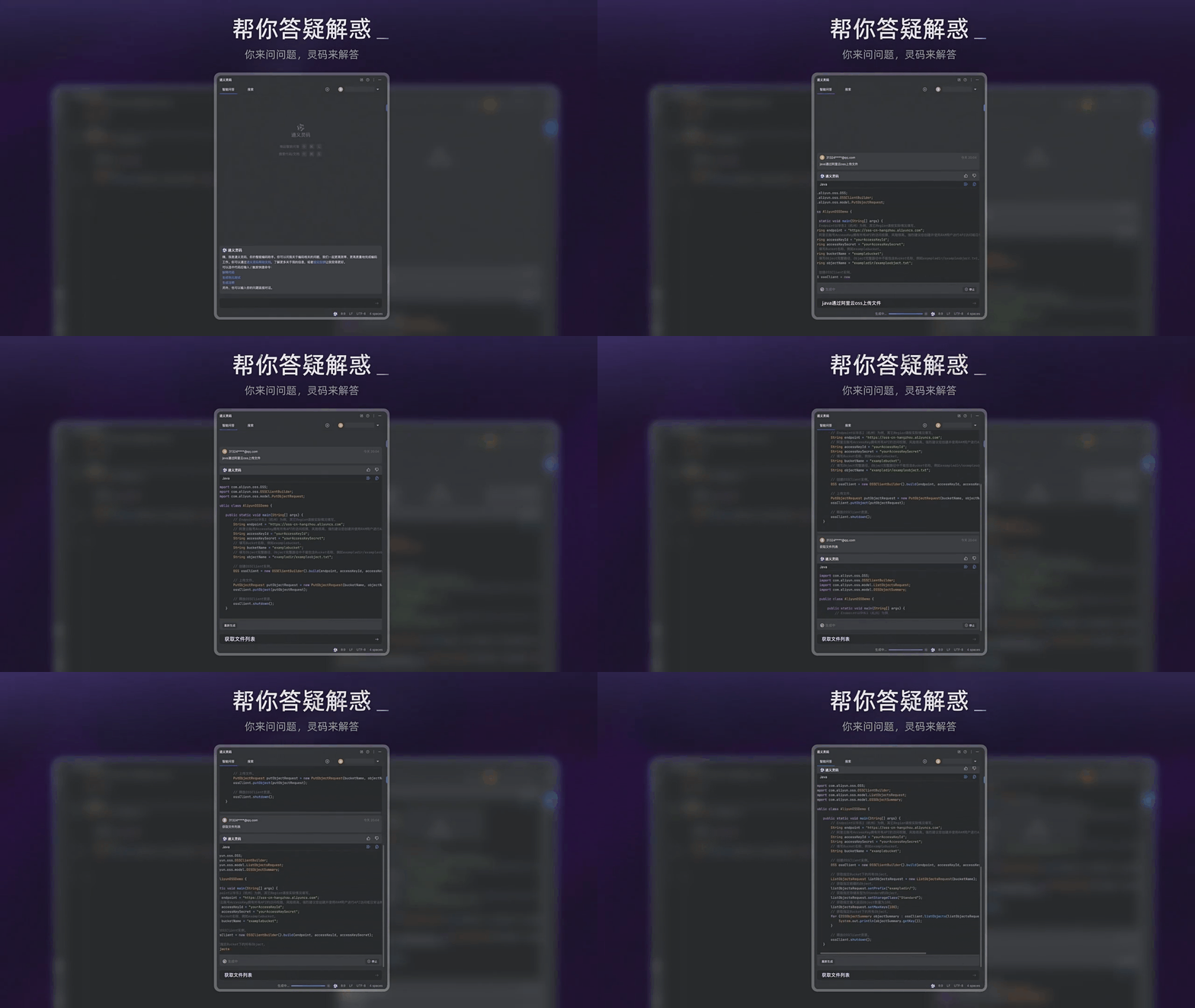
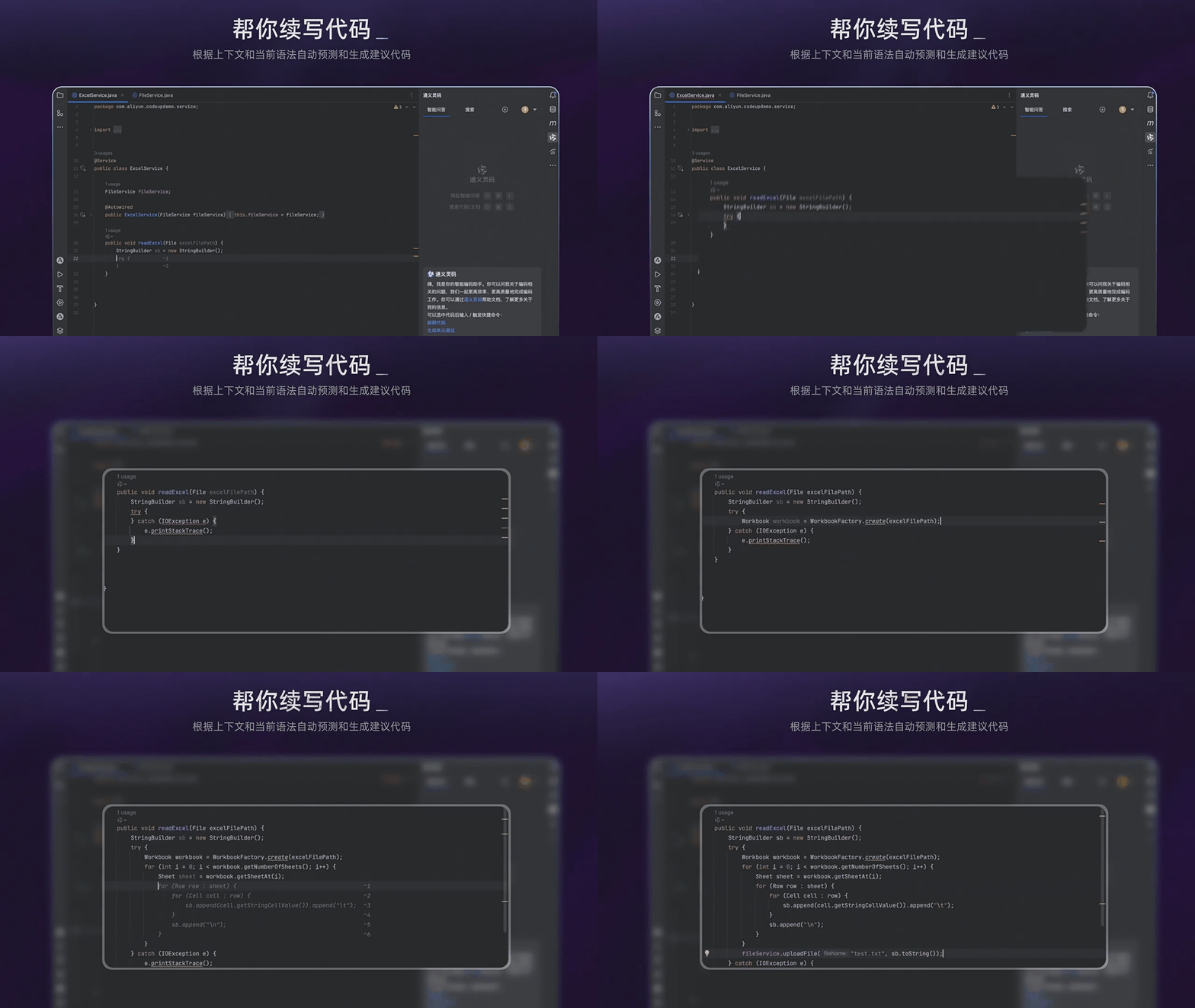
How does Cursor AI, as a new entrant in the field, manage to win over so many developers with these basic operations?
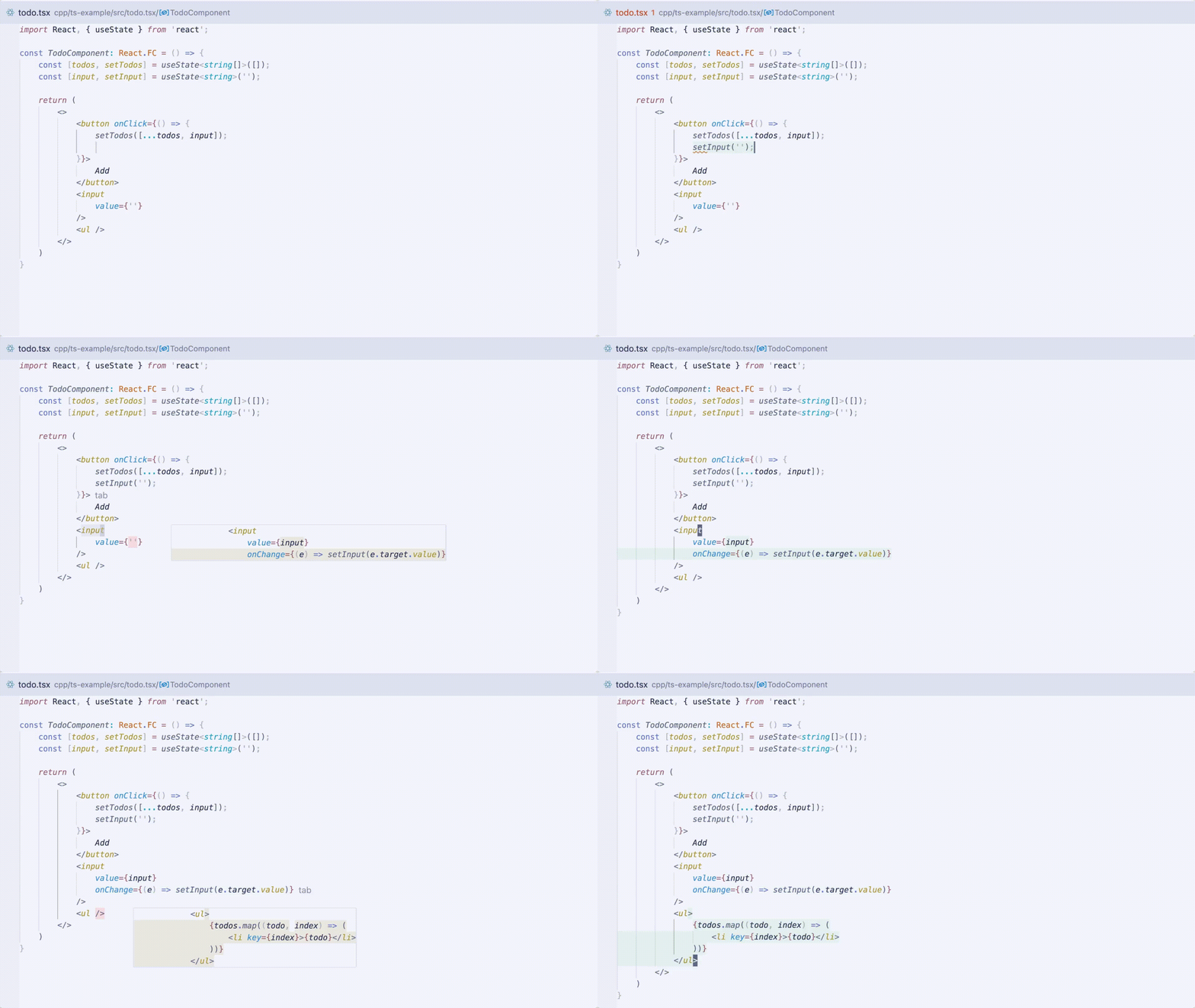
First, for the auto-completion feature, Cursor goes a step further. Not only does it predict the code that needs to be completed, but it also predicts which line (or lines) you might need to edit next, automatically moving the cursor to that line, saving you the time of manually moving the cursor with a mouse or keyboard. Don't underestimate this small amount of time; for developers, this actually allows us to keep pressing the Tab key to achieve auto-completion -> move to the next position -> continue auto-completion, saving a significant amount of time every day. Cursor calls this Just hit tab.
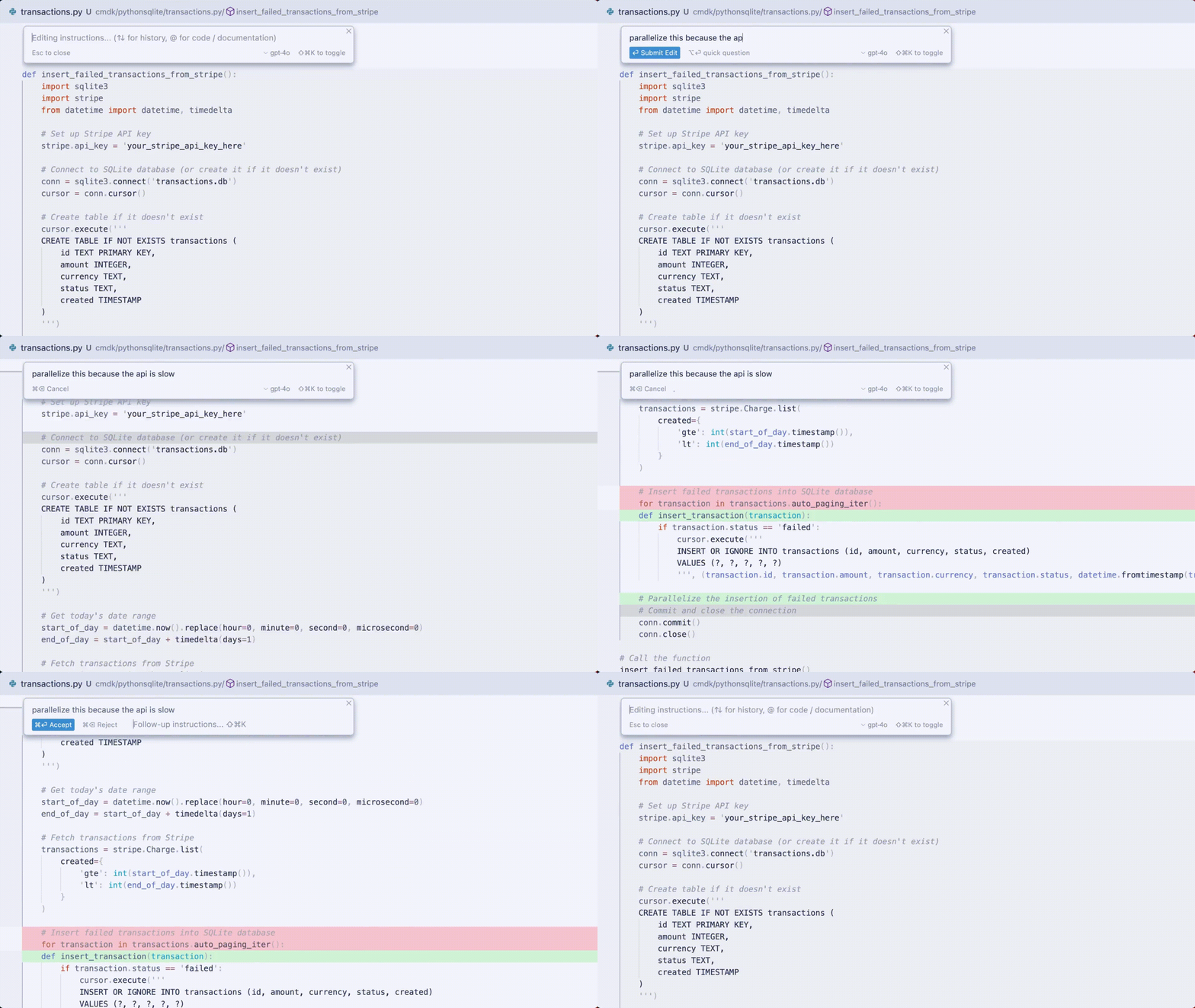
And for the standard feature of code generation, Cursor also takes it a step further. Not only does it generate code, but they've also trained a proprietary model specifically for handling how to insert AI-generated code into the user's file. Users' code can be quite long, and after analysis, AI might find that the user's new requirement only needs changes in two places, but these places might be far apart. If the AI cannot automatically help the user insert the modified code at the specified positions, the user would have to manually copy and paste. Cursor eliminates this step, with AI automatically finding where the new code should be inserted/modified. Cursor calls this Instant Apply, and they've even written a blog about this proprietary model.
Additionally, Cursor has a feature called Shadow Workspace, which isn't visually apparent but greatly improves the development experience, sometimes making developers exclaim in surprise: "How did you know to change that part!" In simple terms, this feature opens an invisible workspace where AI continuously observes and understands the user's code in the background. Note that this isn't just analyzing the single code file the user is currently editing, but the entire project. You can imagine it as having an expert sitting next to you, coding with you, knowing not just what code you're editing but also the structure of your entire project, and providing suggestions when needed. This is an excellent example of a "proactive" AI assistant, not responding only when asked but working alongside you, providing prompts when necessary.
So, how can we transform existing tools according to the "proactive" AI design approach?
For example, the Excel smart fill feature mentioned earlier requires users to first select the content and then drag it down. This operation isn't intuitive for users who only know basic Excel functions; they might not even think of such a feature. But if we change our approach: AI is always observing the user's operations in the background. When AI notices the user entering student ID 20240101 in the first row and 20240102 in the second, it can immediately recognize the pattern. Instead of waiting for the user to "discover" the smart fill feature, why not proactively show a semi-transparent preview in the subsequent cells? If the user likes it, they confirm; if not, they continue entering data themselves without interrupting their workflow.

The same logic can be applied to other parts of the spreadsheet. For instance, if I enter columns for "Name" and "Gender," shouldn't AI proactively suggest adding columns like "Date of Birth," "Contact Number," "Address," etc.? Or if I input a column of dates, shouldn't AI proactively suggest generating a chart to visualize this data? A truly intelligent AI should act like an experienced mentor, constantly providing useful suggestions while you work on your spreadsheet, rather than waiting for you to ask for help.
Or consider a smart browser assistant. Could it, understanding my background knowledge, automatically search in the background for keywords or technical terms on the web pages I open that I might not be familiar with, organizing a mind map or related links for me? When I encounter a technical term, could it present a prompt automatically?
When AI applications shift from a "passive" to a "proactive" interaction paradigm, users no longer need to constantly remind themselves to use AI tools for assistance. Proactive AI tools continuously reinforce the concept of AI assistance in users' minds, helping them gradually accept this concept.
# Product Design Considerations for the Transition Period
Proactive AI is definitely the next trend in AI product design, but during a time when most users haven't yet formed the mindset of using AI assistance, taking too big a step might result in products that are praised but not widely adopted, with more people just trying them out for curiosity.
So, how should AI products be designed during this somewhat awkward transition period? Here are some of my humble thoughts.
First, let's look at the current situation during this transition period:
- The cost of large language models has dropped to a relatively low price, making proactive AI's technical cost manageable.
- Users' understanding of AI concepts is at the "awareness" stage; they haven't formed the habit of using AI daily.
Therefore, I believe AI products during the transition period should consider integrating proactive AI into existing, familiar products and tools, enhancing user awareness of AI capabilities and boundaries without disrupting their existing workflows, thus gradually transitioning to the next phase.
An old example comes from 7-Eleven convenience stores' cash registers. To collect customer data for analysis while minimizing the mental burden on cashiers, 7-Eleven directly designed quick buttons on the cash register to record customer gender and age, allowing cashiers to make a simple judgment and press the button. This design avoids interrupting the original workflow, integrates with the existing scenario, and has no learning curve for the cashier.

So, instead of designing entirely new AI products, it might be more fruitful to think about which parts of existing products and tools could benefit from transformation with proactive AI to assist users.
# Design Principles for Proactive AI
What are the key considerations for designing proactive AI?
# Product Design Principles
# Principles
Do not disrupt the user's workflow Being proactive does not mean being intrusive. AI suggestions should be like sticky notes - visible when needed but easy to ignore. Proactive AI should not take center stage, obstructing the user's normal use of the product to assert its presence.
Grasp the timing accurately Like an excellent assistant who knows when to report work and when to stay quiet, AI must also learn to provide help at the right time and place.
Provide clear control options Allow users to easily adjust the level of AI's proactivity. Some users might want more proactive suggestions, while others might prefer a quieter work environment.
Improve feedback mechanisms One advantage of proactive AI is that you can clearly track from the backend whether users accept AI suggestions, as users need to perform an action to confirm. This behavioral data should not be overlooked; recording it can greatly aid in product optimization and upgrades.
Continuously learn user preferences By tracking how users respond to AI suggestions, refine the frequency and content of pushes to deliver truly personalized service.
Leave the final decision to the user Until the hallucinations of LLMs are resolved, AI cannot completely replace human decision-making. Most products should leave the final decision-making power to the user, who should be able to take control at any time and make the ultimate judgment.
Handle private information Since proactive AI is employed, unlike passive AI where users can see which information is being processed by AI, it's necessary to inform users in advance about what information will be accessed by AI to achieve the effects of proactive AI.
# Key Points for Technical Implementation
Strict cost control Due to the design of proactive AI, costs might increase significantly compared to passive AI, so cost control must be stringent. Methods for cost control include:
- Automatically matching different large language models based on task difficulty. There's no need to always use the most performant model; simpler tasks can be handled by smaller models.
- Adjusting the structure of prompt words to leverage caching features provided by many large model vendors. For instance, with DeepSeek, the price for hitting cached prompts is only 0.1 RMB per million tokens.

blog/04152c6f-f74a-49b8-bcd5-4cac49028599image.png Asynchronous Processing Mechanism Proactive AI needs to run continuously in the background for analysis. To not affect the user's normal operation experience, an asynchronous processing mechanism must be used. Background tasks, aside from providing proactive AI suggestions, can also perform pre-processing and analysis of more user data to provide more accurate suggestions to large models at the appropriate time. Tasks include document segmentation, formatting, summarization, keyword extraction, and organizing professional terms.
Layered Architecture Design
- Perception Layer: Real-time capture of user behavior and context
- Analysis Layer: Understand user intent and needs
- Decision Layer: Determine whether proactive help is needed
- Execution Layer: Generate and display suggestions
Reasonable Context Length Design the content to be included in the prompts reasonably. While it's easy to dump all possible content into prompts, this leads to high costs and higher initial token latency. Here, the second point comes into play; non-critical information can rely on previous summaries to reduce length without losing information.
# Vector Vein's Attempt
The Vector Vein I developed is a no-code workflow platform, yet it also faces user learning curve issues. Recently, I've been trying to add proactive prompts to the workflow canvas design interface, allowing AI to suggest users consider using a certain node or connection, along with reasons to help users understand. This approach aims to lower the design threshold for users.

Regarding workflow usage, although browser plugins and PC software have been developed, users still need to initiate them manually. However, following the proactive AI design paradigm discussed in this article, I hope that in the future, AI can automatically judge when to invoke which workflow to assist users with their current tasks, making Vector Vein a versatile and intelligent proactive AI assistant.
# In Conclusion
Reviewing the entire development history of computers, every major paradigm shift has been accompanied by a revolution in interaction methods. From command lines to graphical interfaces, from keyboard and mouse operations to touchscreens, each change has brought computers closer to users.
Now, AI is sparking a new revolution. However, we should not only think about making AI more powerful but also about making it more human-centric. Like a new employee full of fresh knowledge, their ability might be strong, but if they don't know how to be proactive and provide help at the right time, their value can never be fully realized.
The shift from passive to proactive AI isn't just a product design improvement; it's an important step towards AI becoming an "assistant" rather than just a "tool." When AI starts to actively observe, think, and suggest, we move closer to a true "intelligent assistant."
Remember, when I founded Tsinghua Maker Space, I proposed the slogan of lowering the technical threshold: "Make everything, everyone is a maker." Today, discussing AI product design is essentially about lowering the barrier to technology usage, making it easier for more people to use AI and experience it. Future AI product design should not wait for users to "learn to use" but should actively "understand users."
After all, the first step in technology for good is making technology more understanding of human nature.
I am Maker Bi, and we'll meet again.